Product Updates
February 2026 Release Notification
Here’s a list of updates found in our February 2026 release. Interface Changes Incoming Documents – Assign pop-up: The layout of the incoming assign…

In DocBoss, all users are named users. All changes that are made in DocBoss can be tracked down to a specific user so you know who made changes, and when.
Additionally, DocBoss offers 3 levels of users: Full/Admin, Review and View Only. This enables you to decide what level of access each user should have. You can read more about DocBoss user level by reading this article.
This article focuses on the topic of Review users, and if they have the ability to upload new files.
By default, reviewer users do not have the ability to (a) create new incoming submittals, (b) upload files to pre-existing incoming submittals, and/or (c) assign files to cards within incoming submittals via Incoming Documents. However, reviewer user do have the ability to upload files directly to cards where they have been assigned for review (via Outstanding Actions – see article: Reviewer User Guide).
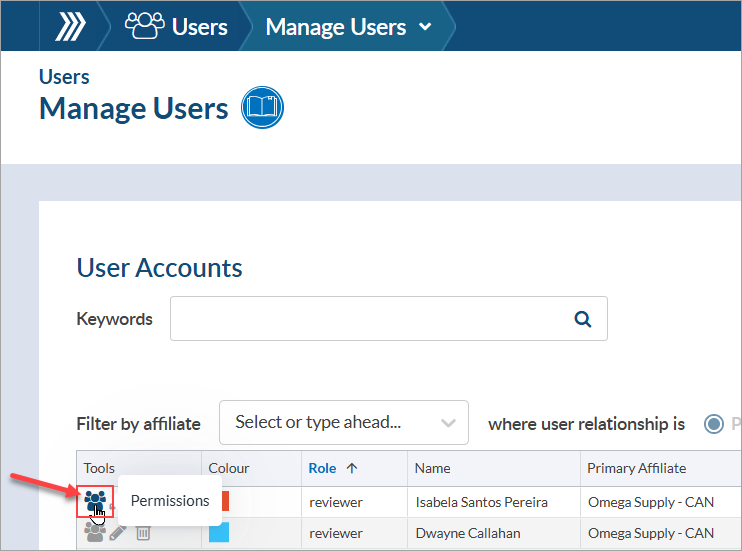
If a reviewer user(s) should have these abilities for incoming internal submittals (via Incoming Documents), the option can be enabled from the “Permissions” page of the appropriate user(s). To enable the option, navigate to the “Manage Users” page (System Menu > Users > Manage Users), search for the user(s) in the grid, and open the “Permissions” page (first icon under “Tools”) of each user.
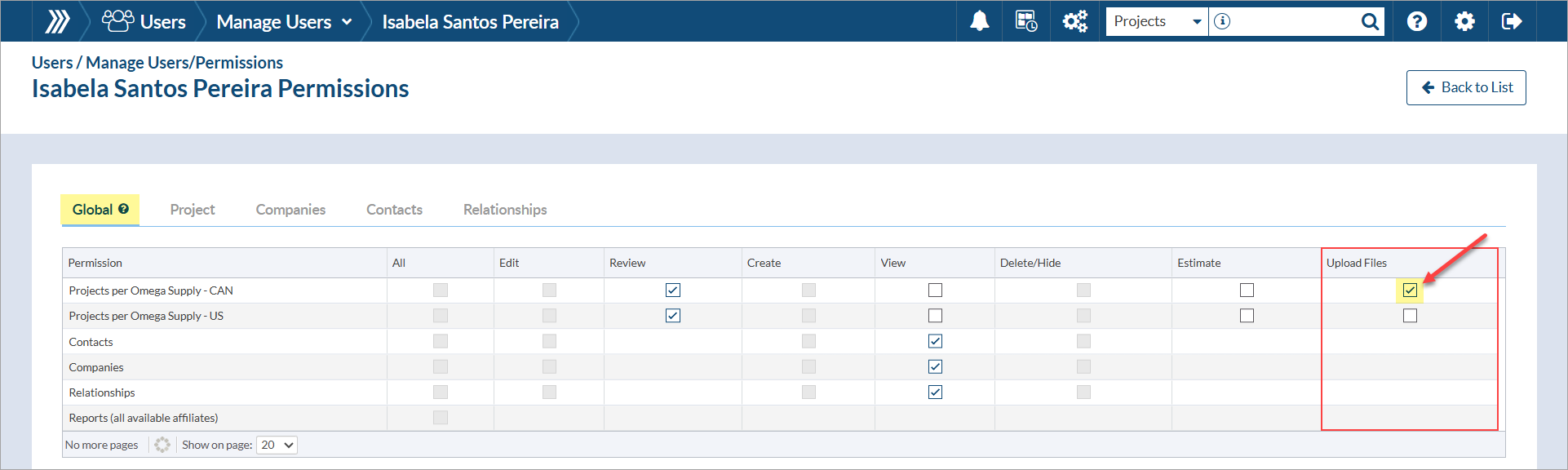
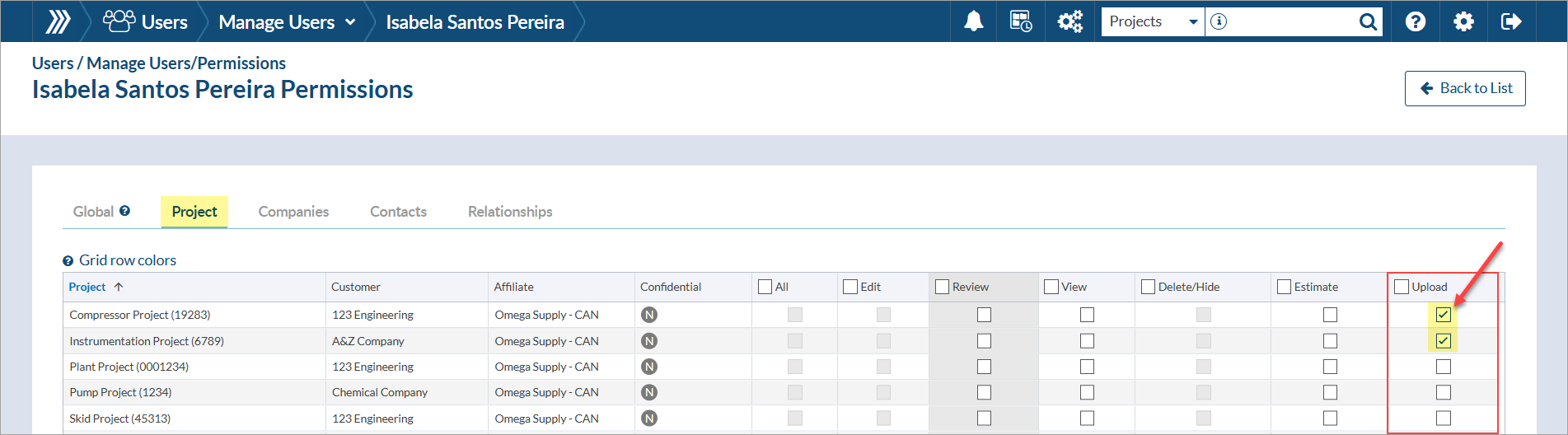
From the permissions page, choose whether the permission should be applied at the “Global” level (i.e., for all projects assigned to the affiliate) OR applied only to specific projects.
To enable the option globally, click the check box(es) for “Upload Files.”
To enable the option per project, click the check box(es) for “Upload.”
DocBoss is the only true document control system for
suppliers. Book a quick demo to see how we help process
equipment suppliers make more profit with less pain.
Here’s a list of updates found in our February 2026 release. Interface Changes Incoming Documents – Assign pop-up: The layout of the incoming assign…

If your EPC projects require you to update equipment as the project progresses, how difficult is it for your current…

The consensus from market analysis and user reviews of document control systems suggests that the ability to access and utilize…