
Blog
What Reporting Options Does DocBoss Have?
The consensus from market analysis and user reviews of document control systems suggests that the ability to access and utilize…

If your EPC projects require you to update equipment as the project progresses, how difficult is it for your current document control application to adjust?
How valuable would it be if your system could easily make these adjustments for you and adapt to real-world shifts without losing your work?
DocBoss offers flexibility and efficiency when project requirements change.
Let’s take a closer look.
Auto-generated cards have their tagged equipment (and major tag(s), if applicable) automatically applied based on the level that is set on the doc code.
Example: Doc code level is set to “Item/Model.” As such, each card will include the tagged equipment units that correspond to the item/model value.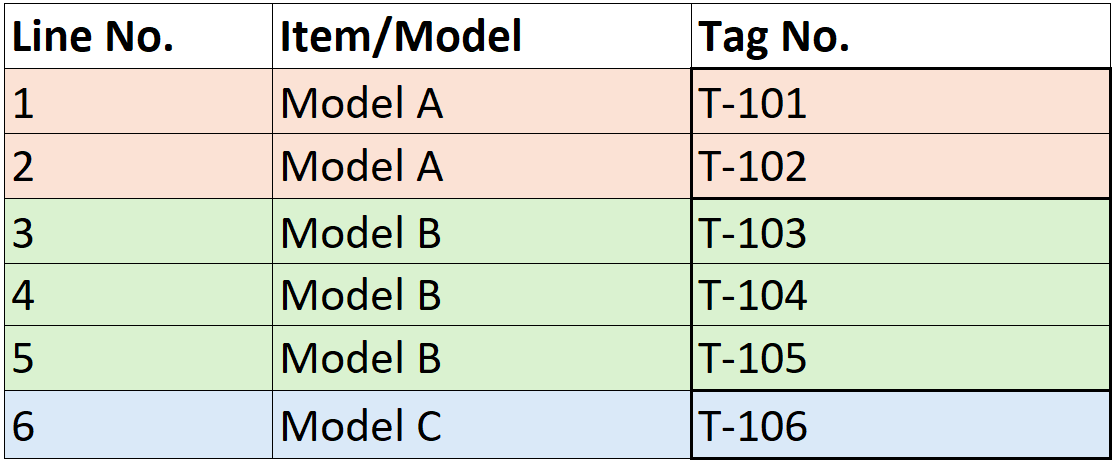
If the documentation received includes more/less tags than are included on the auto-generated card(s), there are three different options to adjust the card(s) depending on the situation:
If a card includes multiple equipment units but you receive documentation with these tags separated, using the split function allows you to separate the auto-generated card into the appropriate number of cards (allowing the units to be managed separately). The split cards will still be auto-linked to the equipment list, meaning any updates to the equipment list will be auto-applied.
See this article for more information: Split a card (and split equipment list)
Example: Doc code level is set to “Item/Model” and you receive two pieces of documentation for Model A (one for each tag – T-101, T-102).
If there are multiple cards with different equipment units but you receive documentation with these tags combined, using the merge function allows you to combine multiple auto-generated cards together (allowing the units to be managed together). The merged card will still be auto-linked to the equipment list, meaning any updates to the equipment units will be auto-applied.
See this article for more information: Merge Cards
Example: Doc code level is set to “Tag No.” and you receive one piece of documentation for T-101 and T-102 combined (both tags for Model A).
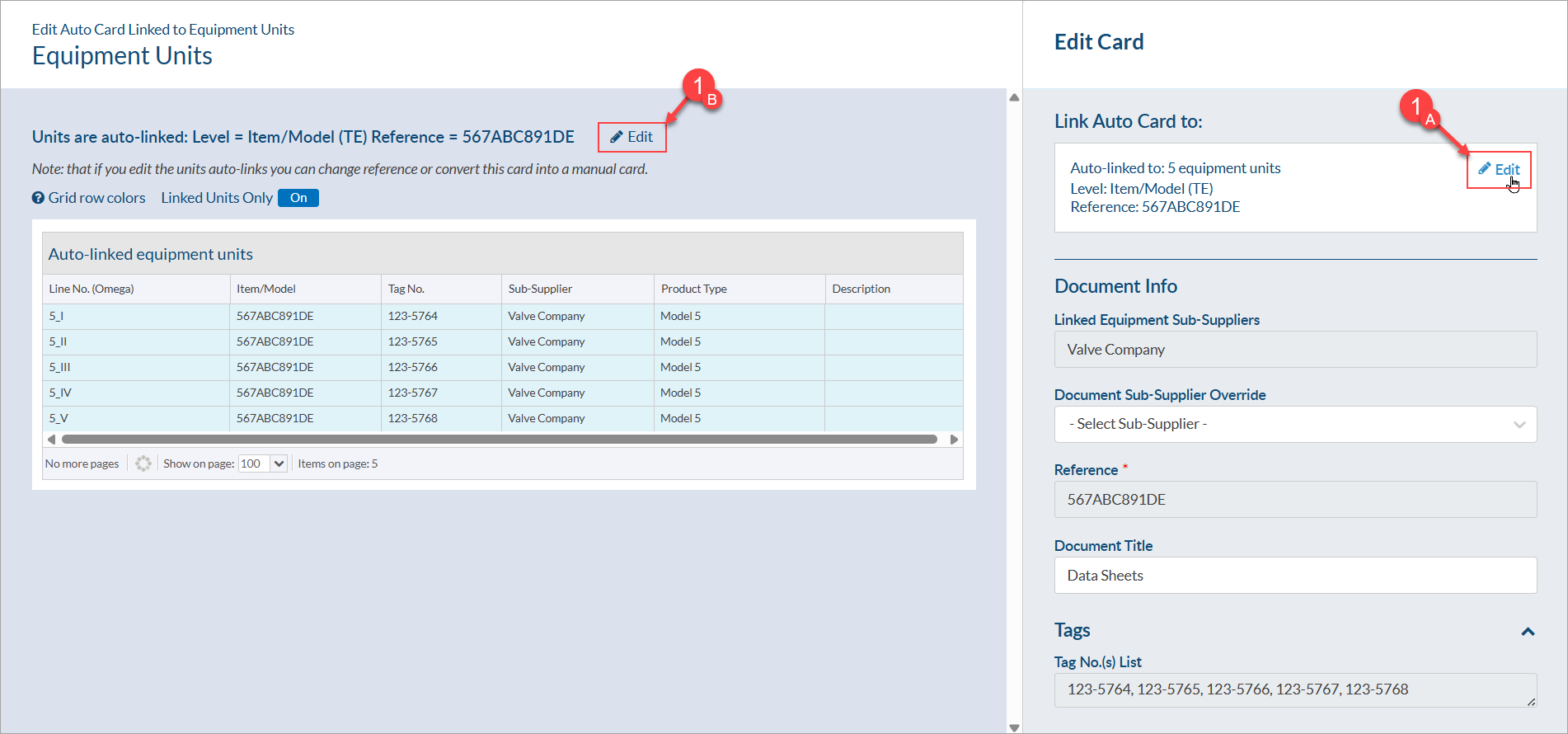
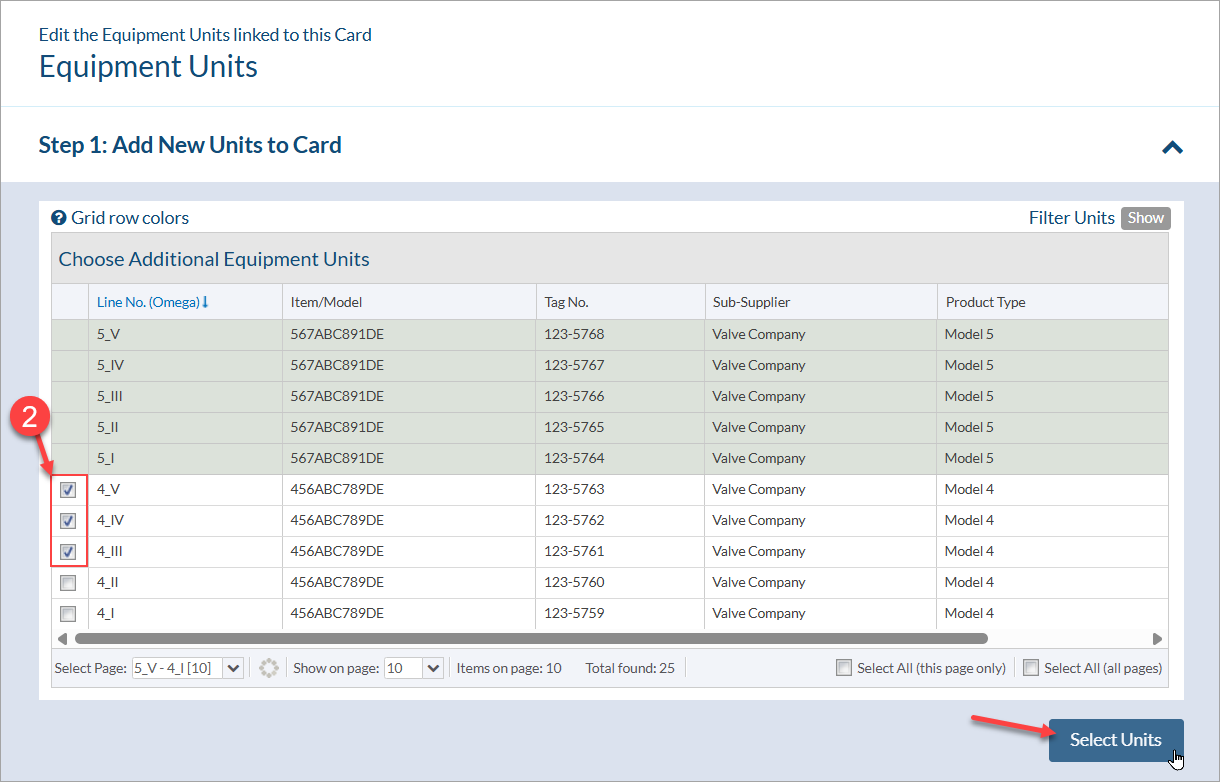
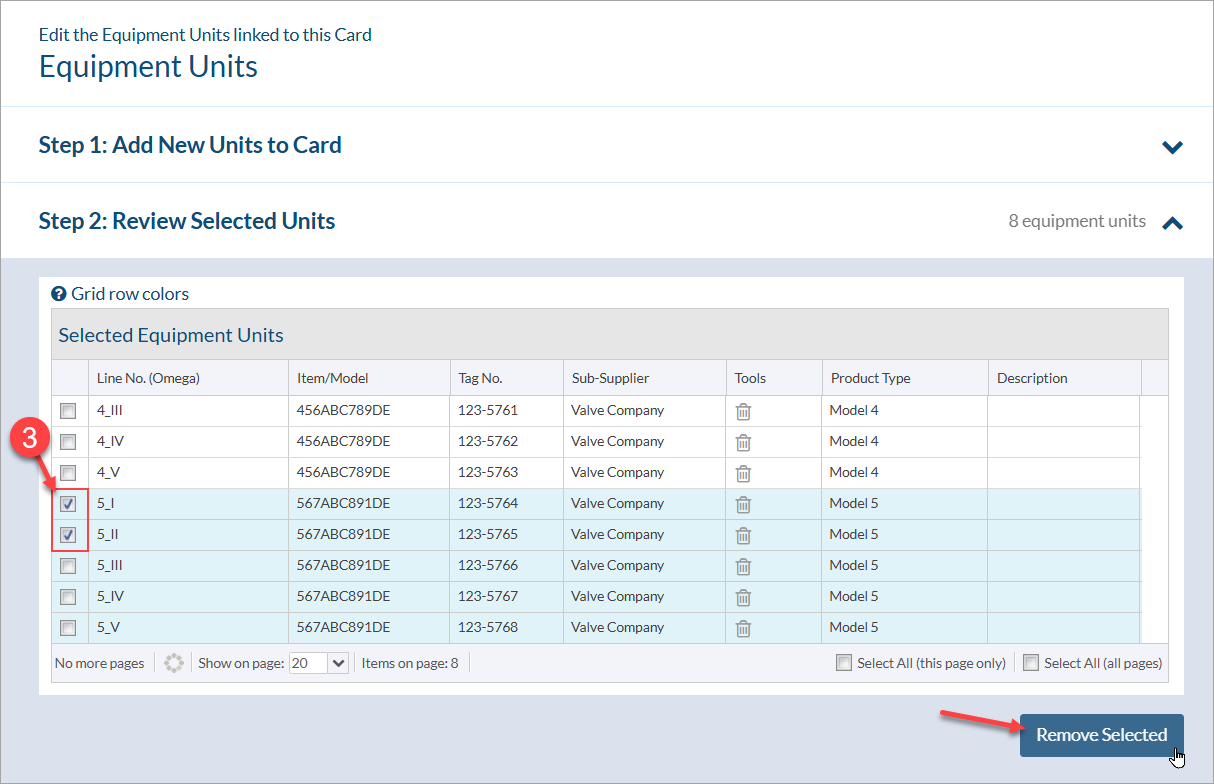
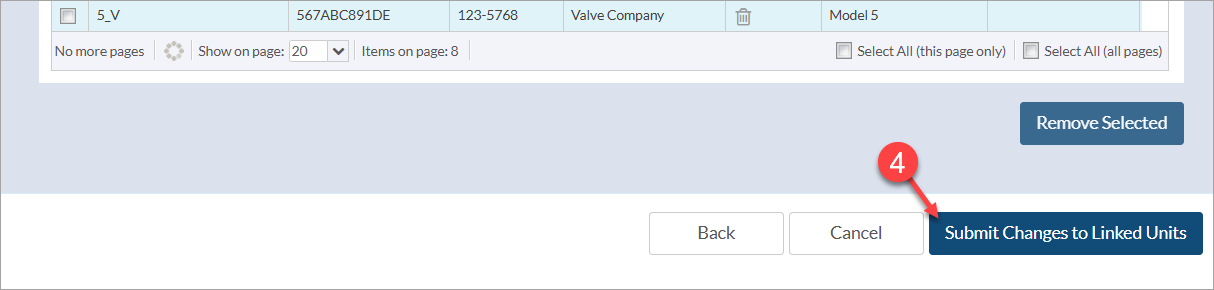
If neither splitting or merging cards will result in the card configuration you require, there is the option to manually adjust the equipment included on a card. Manually adjusting the equipment will result in the card becoming manual, meaning that any updates to the equipment list will not be auto-applied.
Example: Doc code level is set to “Item/Model” and you have manually adjusted the equipment on the “Model A” card. If a new equipment unit is added to the equipment list for this item/model value, the equipment included on the “Model A” card will not auto-update (and equipment will need to be manually adjusted on the card).
To manually adjust the equipment units included on a card, follow the steps below:
DocBoss is the only true document control system for
suppliers. Book a quick demo to see how we help process
equipment suppliers make more profit with less pain.
The consensus from market analysis and user reviews of document control systems suggests that the ability to access and utilize…
Dark mode is a display setting that changes a digital interface from the traditional light background with dark text to…

DocBoss is happy to announce a new customer case study, where we profile an active subscriber who took the time…