 If you want to view a log of all sent emails and view the status of
Product Updates
May 2026 Release Notification
Here is our May 2026 Release Notification with brand new functionality that is now available to all DocBoss subscribers. This…
Read NowIf you want to view a log of all sent emails and view the status of submittals, there’s an easy way to do so.
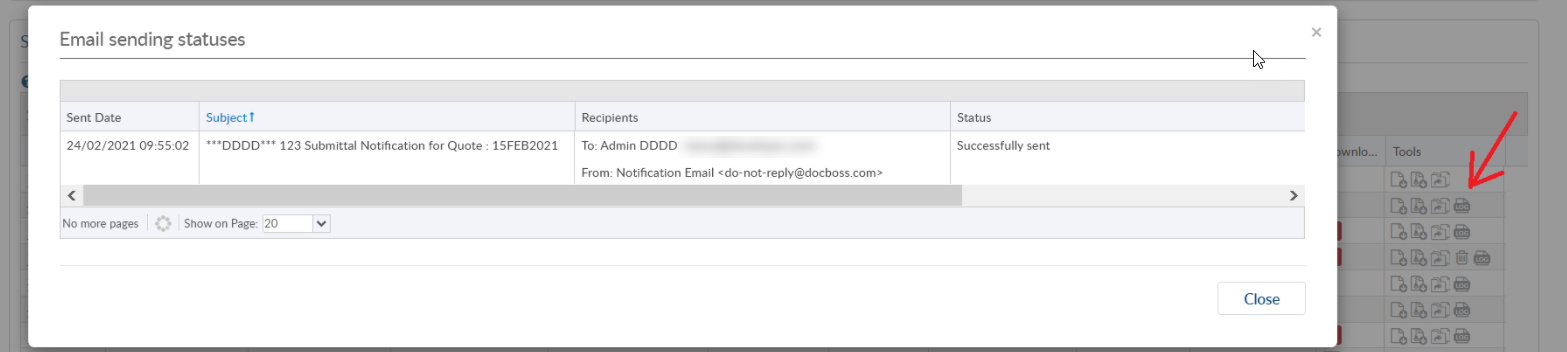
To view the Sent email status of an outgoing submittal, navigate to the Outgoing Submittals screen and scroll down to the Submittals Grid.
Here you will see a “Log” icon – see red arrow in image below. Clicking on the Log icon will open the Email sending status log.
This image shows a Successful submittal.
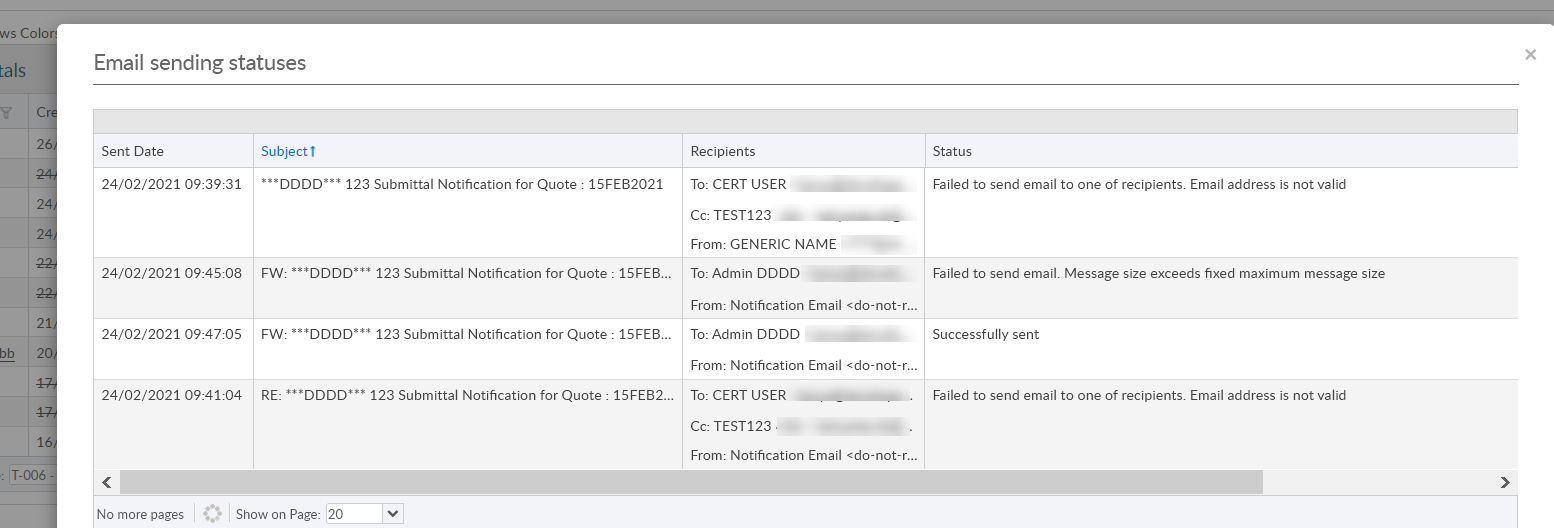
When there is an error, an email will be sent to the sending user for them to review. Examples of error statuses are below.
DocBoss is the only true document control system for suppliers. Book a quick demo to see how we help process equipment suppliers make more profit with less pain.
Here is our May 2026 Release Notification with brand new functionality that is now available to all DocBoss subscribers. This…
Read NowHere’s a list of updates found in our February 2026 release. Interface Changes Incoming Documents – Assign pop-up: The layout of the incoming assign…
Read NowIf your EPC projects require you to update equipment as the project progresses, how difficult is it for your current…
Read Now