Blog
Turnover packages with many sections: building the record as the job runs
The package is assembled at the end but accumulated all job long.
Read NowDocBoss helps you create compilations at the end of projects with a few clicks of your mouse, saving you time and effort, while meeting whatever custom requirements your EPC customers provide to you.
What if you have a particular layout that you may need to use in the future? You don’t want to have to create it again from scratch each time.
In DocBoss, once a compilation layout has been established, it can be saved for use on future projects.
Here’s how.
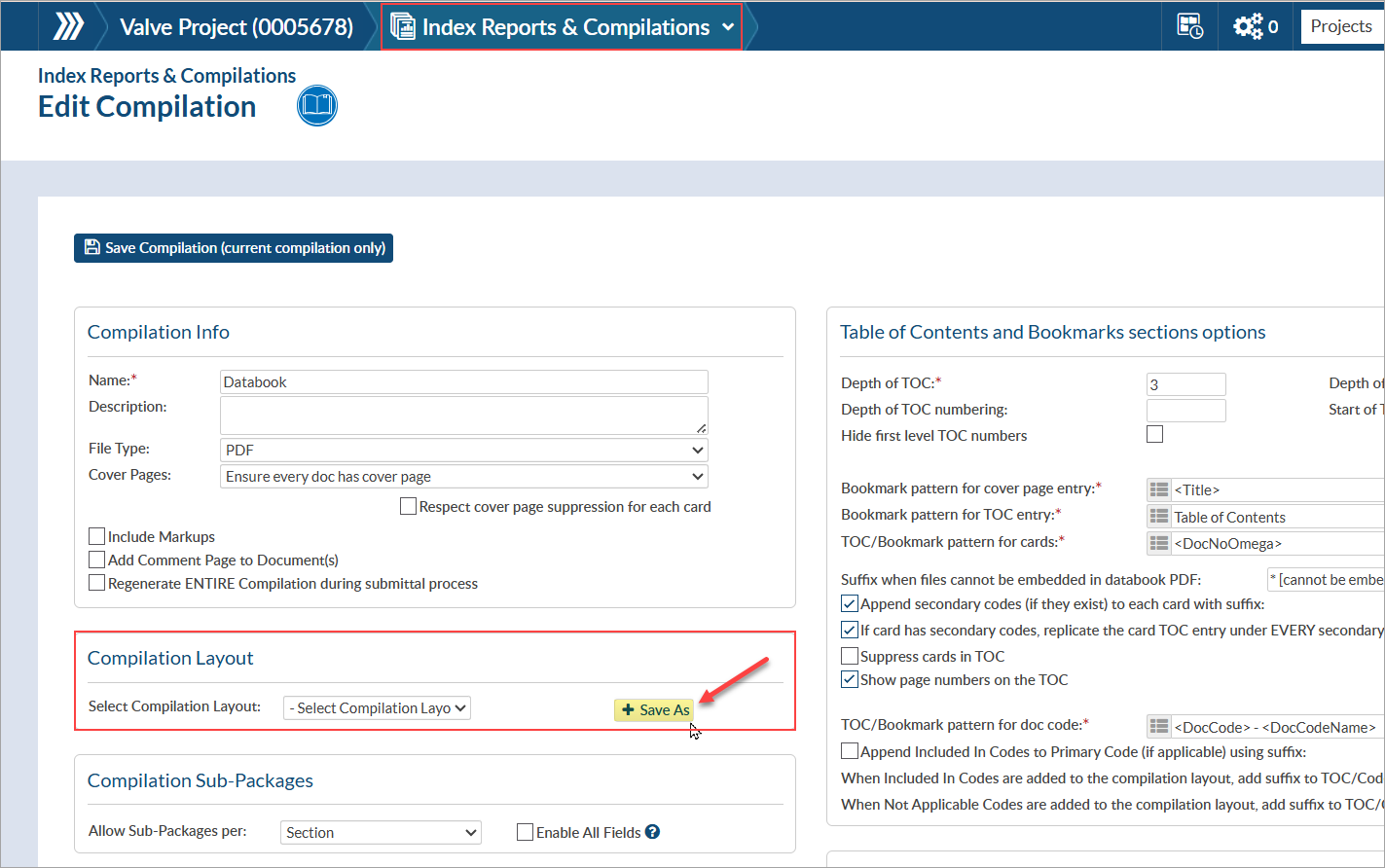
From the compilation editor (Project Menu > Index Reports & Compilations), locate the “Compilation Layout” section and click “+ Save As”. Give the layout a recognizable name (that will help identify it amongst other options when selecting the layout in the future).
From the Companies list (System Menu > Lists > Companies), open the company profile where the compilation layout should be saved. From the company profile, open the list of company doc codes.
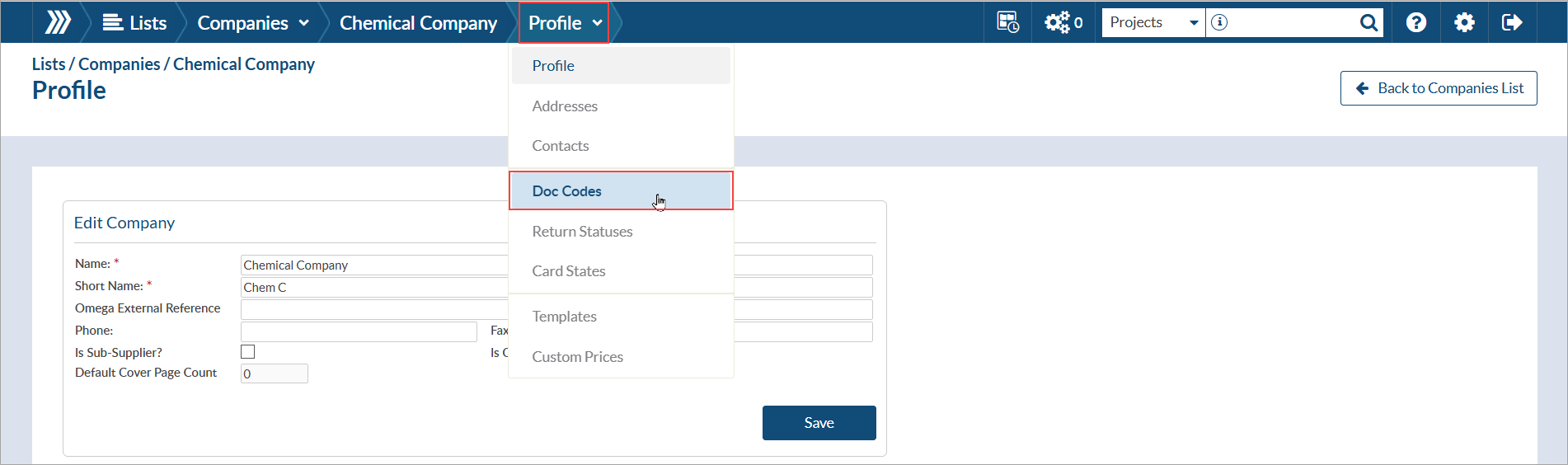
Open the doc code list where the compilation layout should be saved. A company may have multiple doc code lists, so be sure to select the correct list (as compilation layouts are linked directly to the selected doc code list).
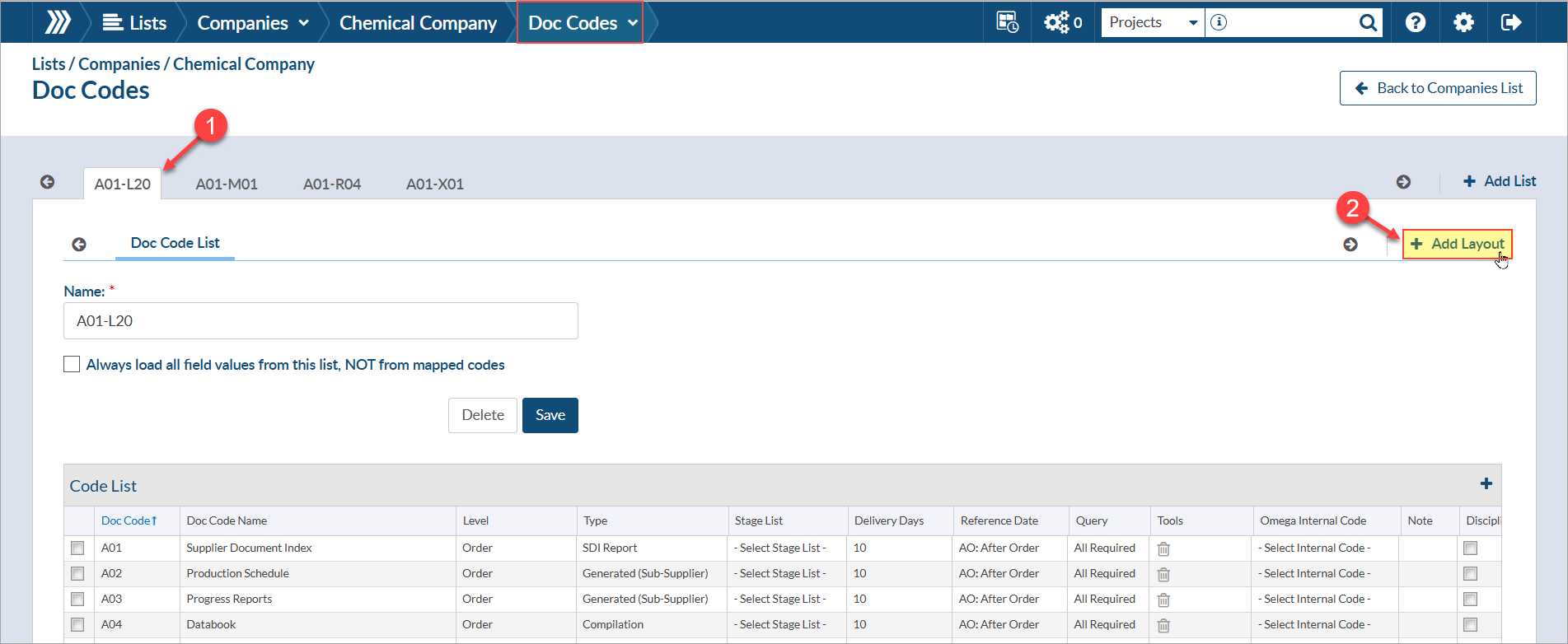
Give the layout a recognizable name (that will help identify it amongst other options when selecting the layout in the future). Once saved, updates can be made to the layout as needed.
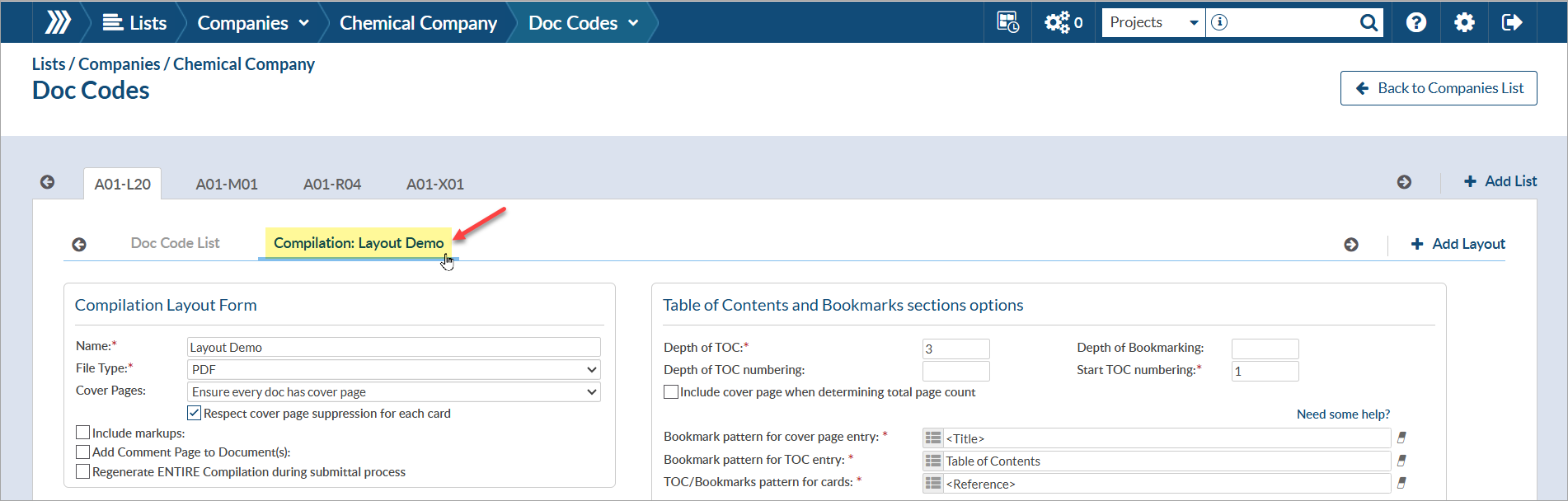

Once a layout is selected for use on a project, the table of contents and sections from the saved layout will be automatically added to the compilation structure.

If doc codes were saved as part of the layout, they will be automatically organized into their applicable section upon adding them to the structure. Simply click “add code >” to add the doc codes to the structure, and the doc codes will be assigned their applicable section.

If an additional doc code is added to the structure (that was not included in the saved layout), it will be added to the end of the structure and can be re-organized as needed. If this additional code (or any other structure changes) should be saved for future use, you can save the layout (to overwrite the existing saved layout) or can save as a new layout (by clicking + Save As).

DocBoss is the only true document control system for suppliers. Book a quick demo to see how we help process equipment suppliers make more profit with less pain.
The package is assembled at the end but accumulated all job long.
Read NowOne record of where every document stands: engineering, shops, sub-suppliers, customer.
Read NowThe MRB, the quality book and the dispatch book, cut per train or per pump, from one tracked set.
Read Now