

Blog
Turnover packages with many sections: building the record as the job runs
The package is assembled at the end but accumulated all job long.
Read NowThe “Add Doc Code to Project” API call in DocBoss allows you to programmatically add document codes (categories) to an existing project. Another great example of how DocBoss automates tasks you might currently do manually.
The doc codes than can be added must already exist on the company doc code list selected for use on the project. New doc codes cannot be created using this call.
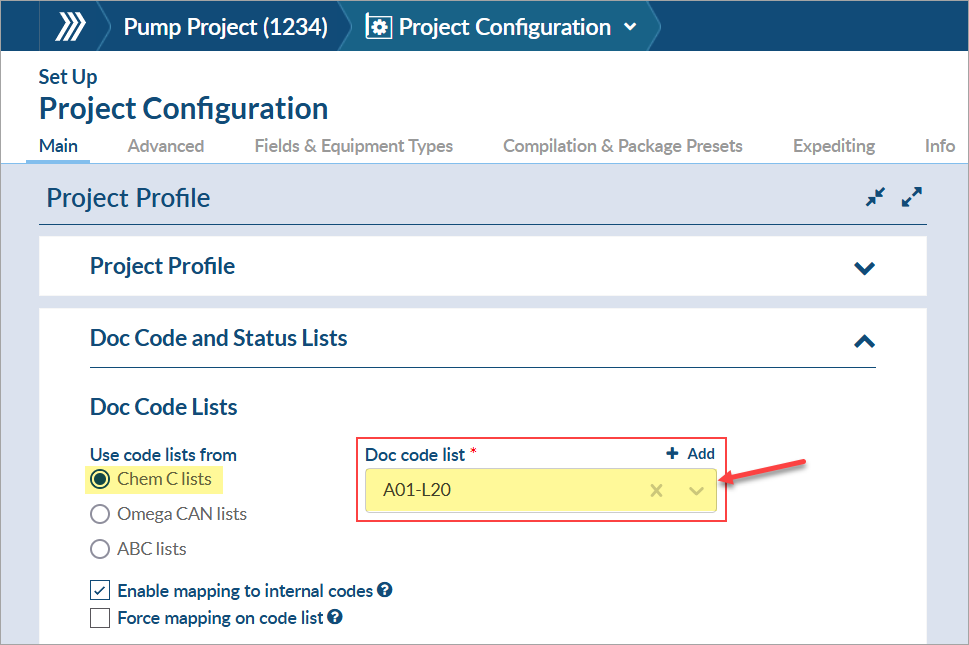
When a doc code is added, the settings configured on the company list (e.g., doc code type, stage list, etc.) will be inherited into the project. However, the level will not be inherited and will only be set if the parameter is defined from the API call (via the “level” parameter).
If mapping to internal codes is enabled on the project and the company doc code is mapped to an internal code, the internal code will be inherited into the project, too.
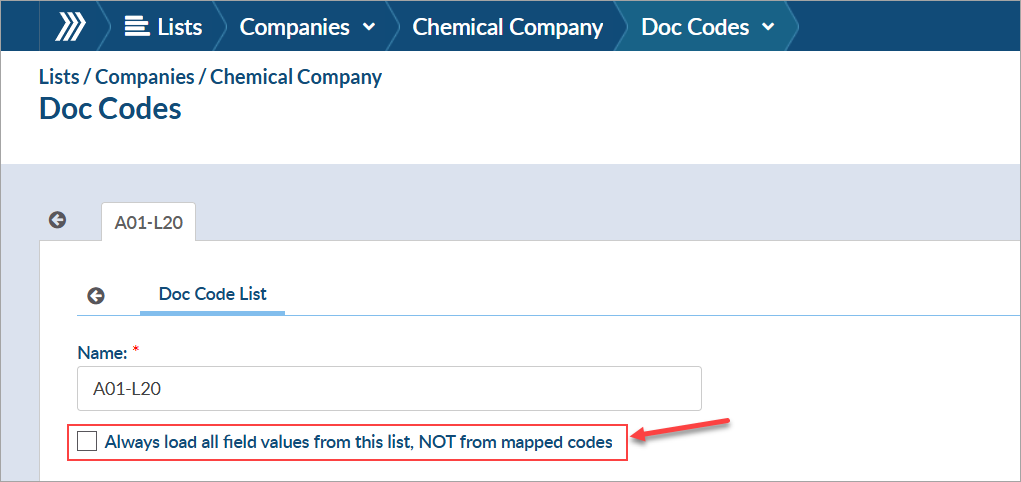
Importantly, if the option to “Always load all field values from this list, NOT from mapped codes” is unchecked on the company doc code list, the settings configured on the internal code will be inherited into the project INSTEAD OF the settings configured on the company list.
Here’s an example of how the fields might be filled out:
| Field | Example |
| code | A01 |
| code_name | General Arrangement Drawings |
| level (*optional) |
Tag No. (TE) |
DocBoss is the only true document control system for suppliers. Book a quick demo to see how we help process equipment suppliers make more profit with less pain.
The package is assembled at the end but accumulated all job long.
Read NowOne record of where every document stands: engineering, shops, sub-suppliers, customer.
Read NowThe MRB, the quality book and the dispatch book, cut per train or per pump, from one tracked set.
Read Now