
Blog
Turnover packages with many sections: building the record as the job runs
The package is assembled at the end but accumulated all job long.
Read NowProcess equipment suppliers often spend significant time on specific aspects of EPC documentation including headers and footers.
For a supplier like yourself, a document is not just a technical manual; it is a contractual deliverable. If the header or footer information is incorrect, the entire submittal can be rejected by the EPC’s document control team, delaying payments and project milestones.
While DocBoss applies headers and footers automatically during the submittal process with data pulled from the initial document list, you can also apply headers and footers manually.
Headers/footers can be manually applied to individual cards on the card list. This feature provides the option to apply headers/footers on cards without having to submit them, which is useful for cards that will not be submitted individually but do need to be included in the final data book.
1. Select each card from the card list
2. Open the “More Actions” menu
3. Select the option to apply headers/footers.
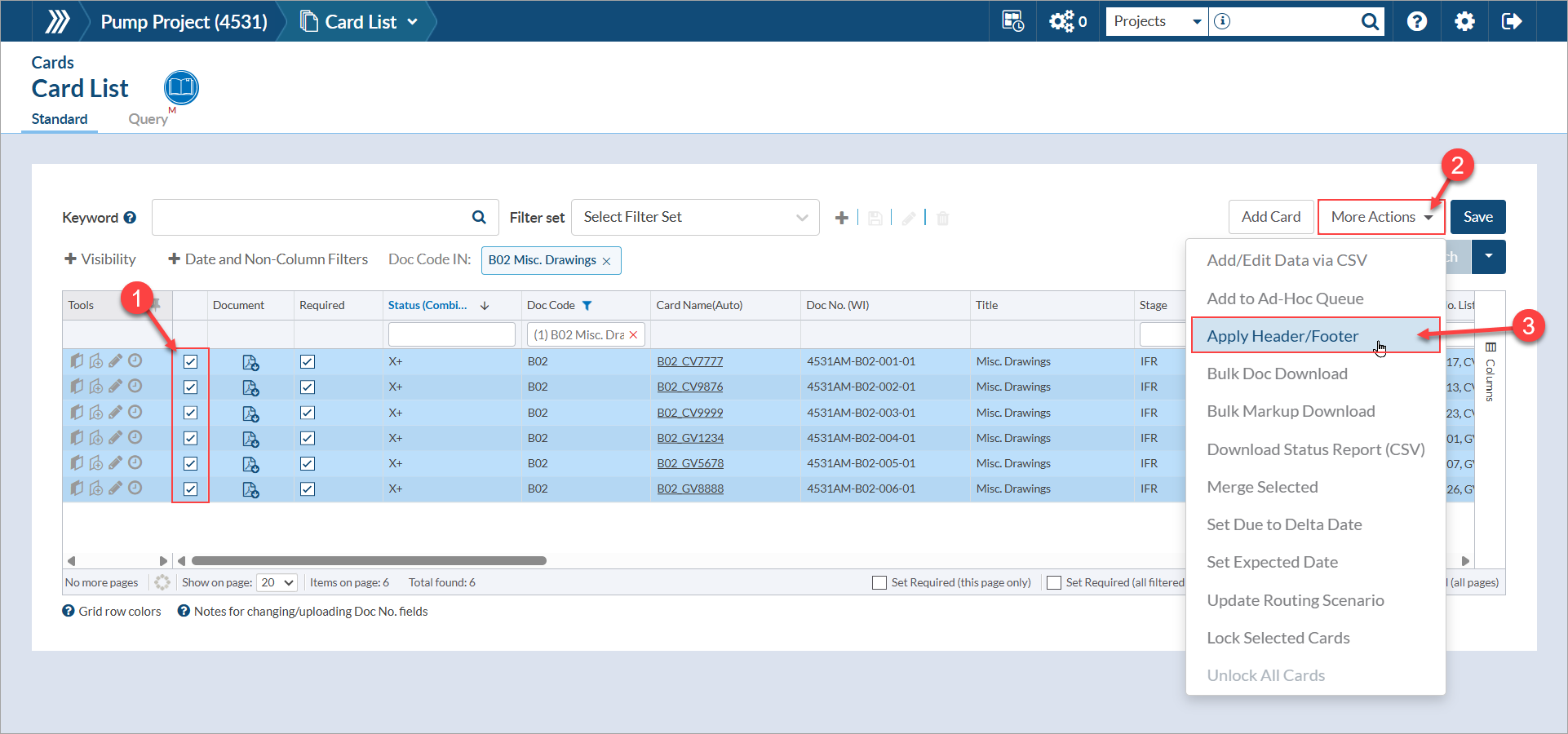
Once selected, a background process will begin that can be viewed from the the “Active Processes” viewer. Once complete, a second notice will appear indicating that the background process has completed.

Some additional details are as follows:
DocBoss is the only true document control system for suppliers. Book a quick demo to see how we help process equipment suppliers make more profit with less pain.
The package is assembled at the end but accumulated all job long.
Read NowOne record of where every document stands: engineering, shops, sub-suppliers, customer.
Read NowThe MRB, the quality book and the dispatch book, cut per train or per pump, from one tracked set.
Read Now