Product Updates
May 2026 Release Notification
Here is our May 2026 Release Notification with brand new functionality that is now available to all DocBoss subscribers. This…
Read NowDocBoss relies on a user setting to determine whether to use commas or semicolons when downloading data. If your download appears as a single column of run-together text, it is likely that your computer/Excel is expecting a different separator value.
You can change the separator in your user setting – but you can also just convert the report to use the downloaded format.
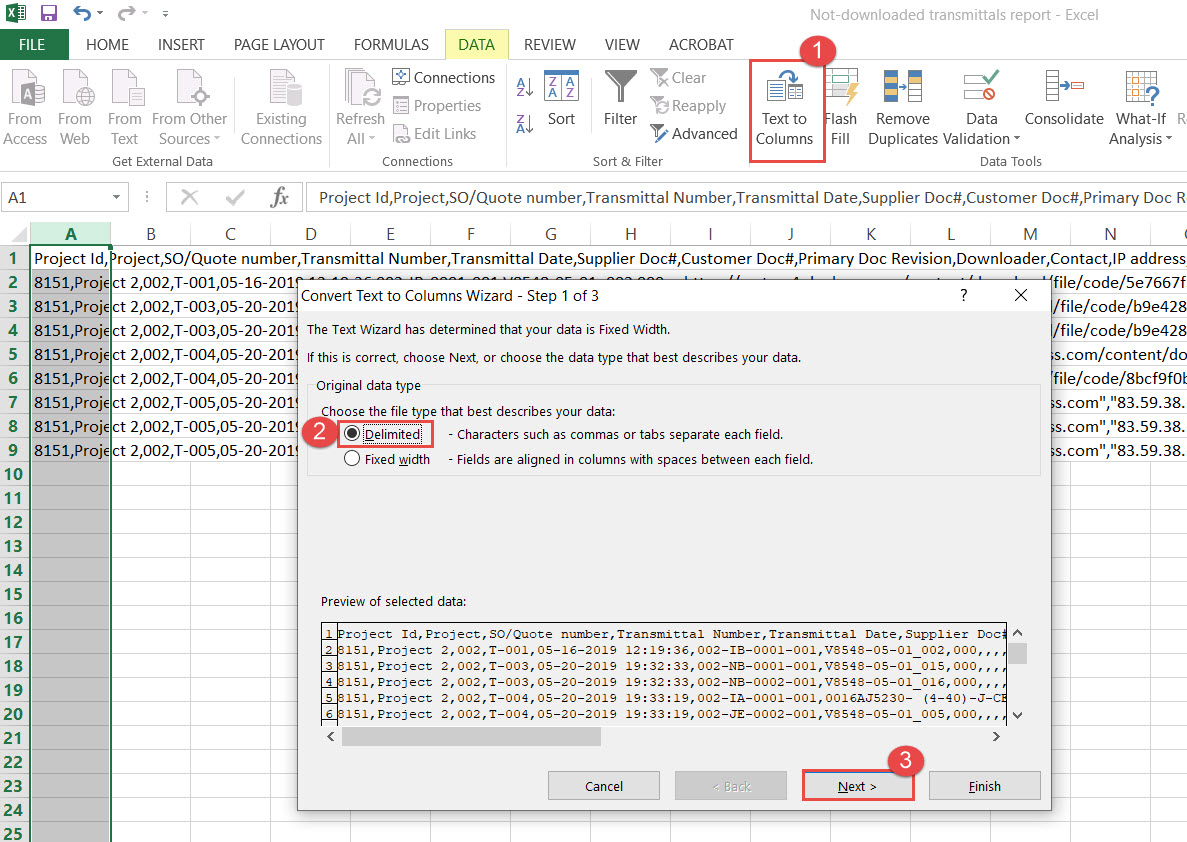
1. Navigate to Data and select “Text To Columns” 2. Choose Delimited 3. Click Next
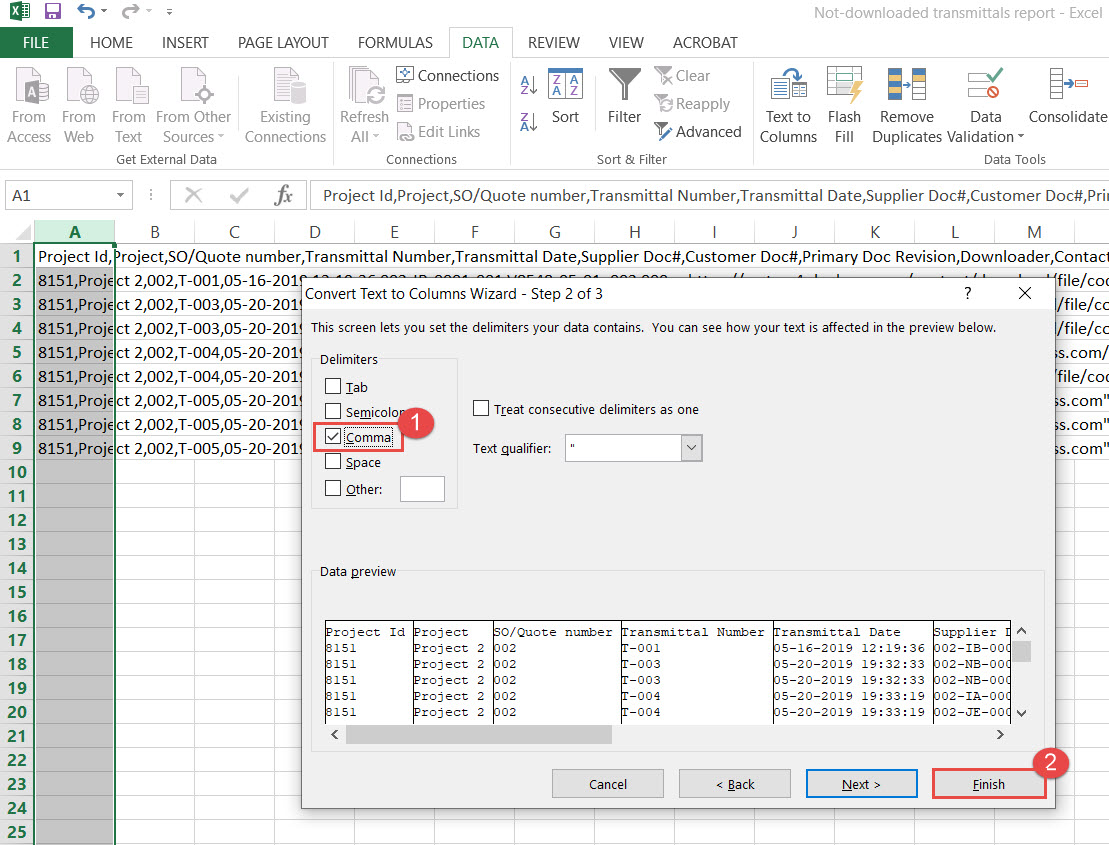
1. Unmark Tab and mark Comma option 2. Click Finish
DocBoss is the only true document control system for suppliers. Book a quick demo to see how we help process equipment suppliers make more profit with less pain.
Here is our May 2026 Release Notification with brand new functionality that is now available to all DocBoss subscribers. This…
Read NowHere’s a list of updates found in our February 2026 release. Interface Changes Incoming Documents – Assign pop-up: The layout of the incoming assign…
Read NowIf your EPC projects require you to update equipment as the project progresses, how difficult is it for your current…
Read Now