

Product Updates
May 2026 Release Notification
Here is our May 2026 Release Notification with brand new functionality that is now available to all DocBoss subscribers. This…
Read NowUsing Crop and Lock and Screen Ruler to Help Convert Templates
The Crop and Lock and Screen Ruler tools available with the Microsoft PowerToys collection can be used to more efficiently convert Word files to Excel templates.
To use these tools effectively, first you must convert the received template from Word to Excel. Using Crop and Lock and Screen Ruler, you can then easily compare and measure each element in Word and Excel documents so that the template we create is as close to customer specifications as possible.
You should now have a moveable, resizable window containing the original Word template.
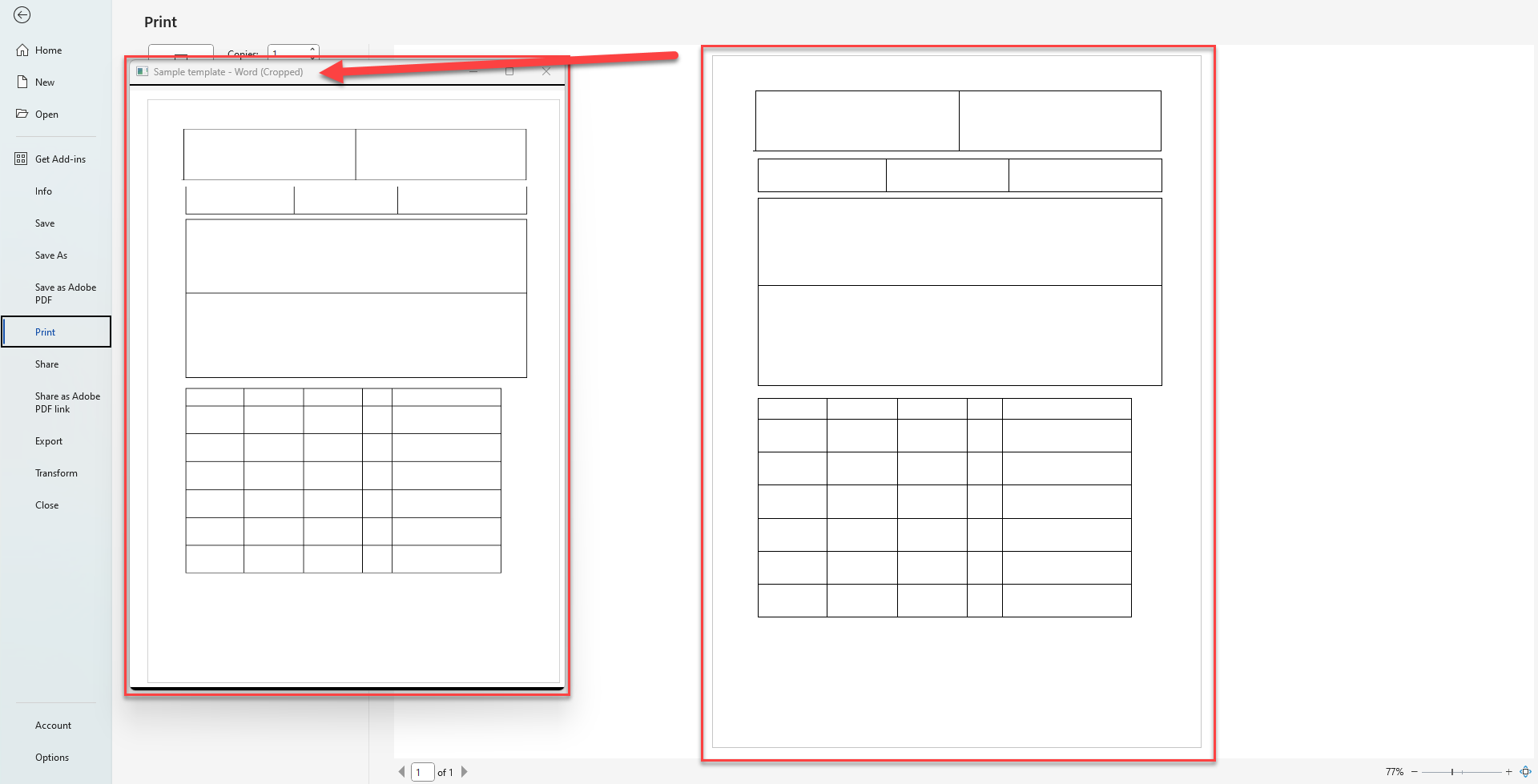
Use the Screen Ruler (Windows Key + Shift + Ctrl + M) to first measure distance between elements in the Word template (the cropped window you made earlier). Next, measure the distance between those same elements on the Excel template. The readouts (shown in pixel count) will give you a rough idea of how much to adjust the Excel template. Keep measuring until both measurements for each element are within a few pixels of one another.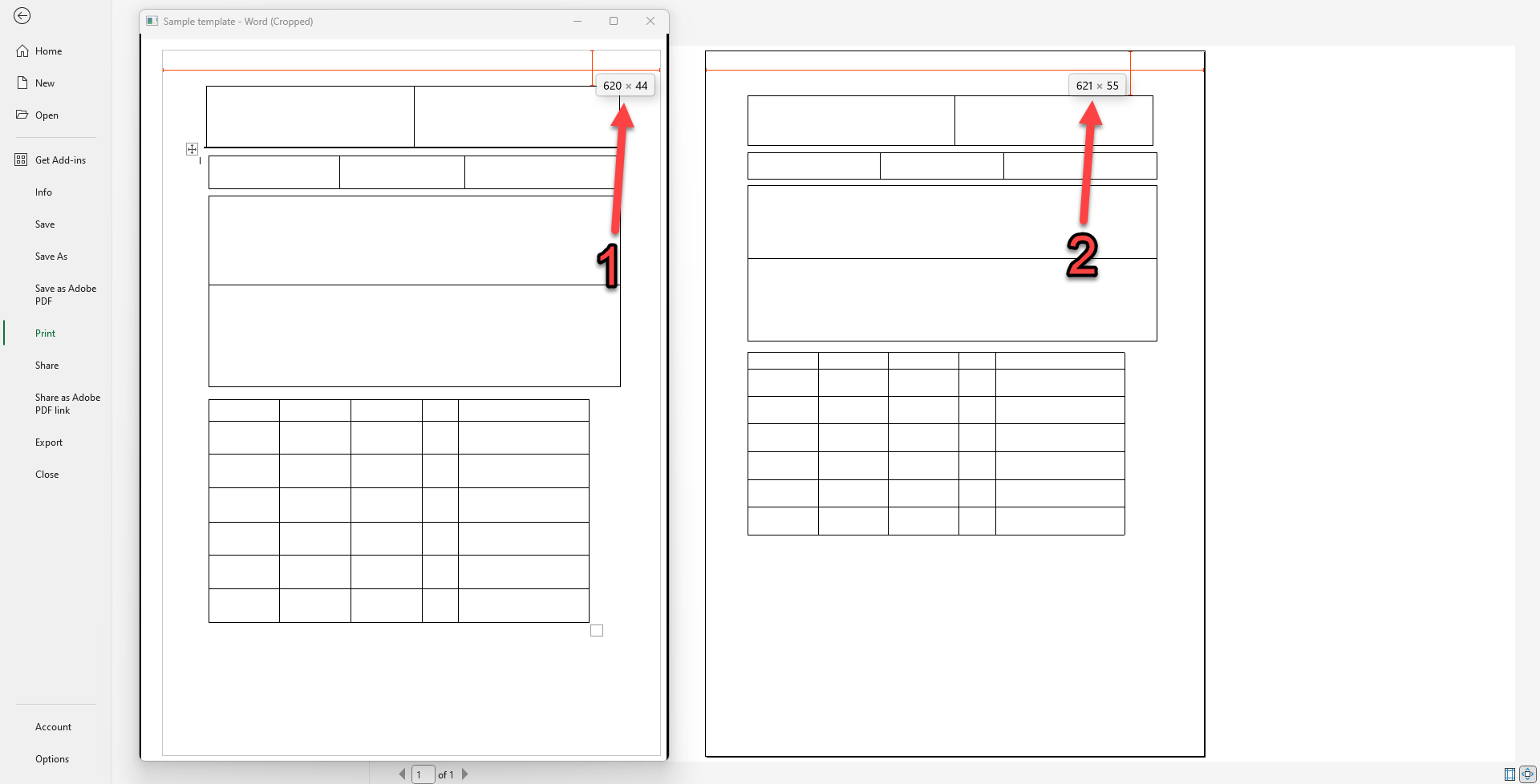
Note: To accurately use the Screen Ruler, you must first measure that both windows have the same length and width using the ruler.
DocBoss is the only true document control system for suppliers. Book a quick demo to see how we help process equipment suppliers make more profit with less pain.
Here is our May 2026 Release Notification with brand new functionality that is now available to all DocBoss subscribers. This…
Read NowHere’s a list of updates found in our February 2026 release. Interface Changes Incoming Documents – Assign pop-up: The layout of the incoming assign…
Read NowIf your EPC projects require you to update equipment as the project progresses, how difficult is it for your current…
Read Now