Product Updates
May 2026 Release Notification
Here is our May 2026 Release Notification with brand new functionality that is now available to all DocBoss subscribers. This…
Read Now
Headers and footers can be added to documents to provide information consistently on every page. In addition to automatically generated page numbering, this feature can be used to display document-specific information (e.g., card name, doc no., equipment list, etc.), and/or project-specific information (e.g., project name, PO no., etc.).
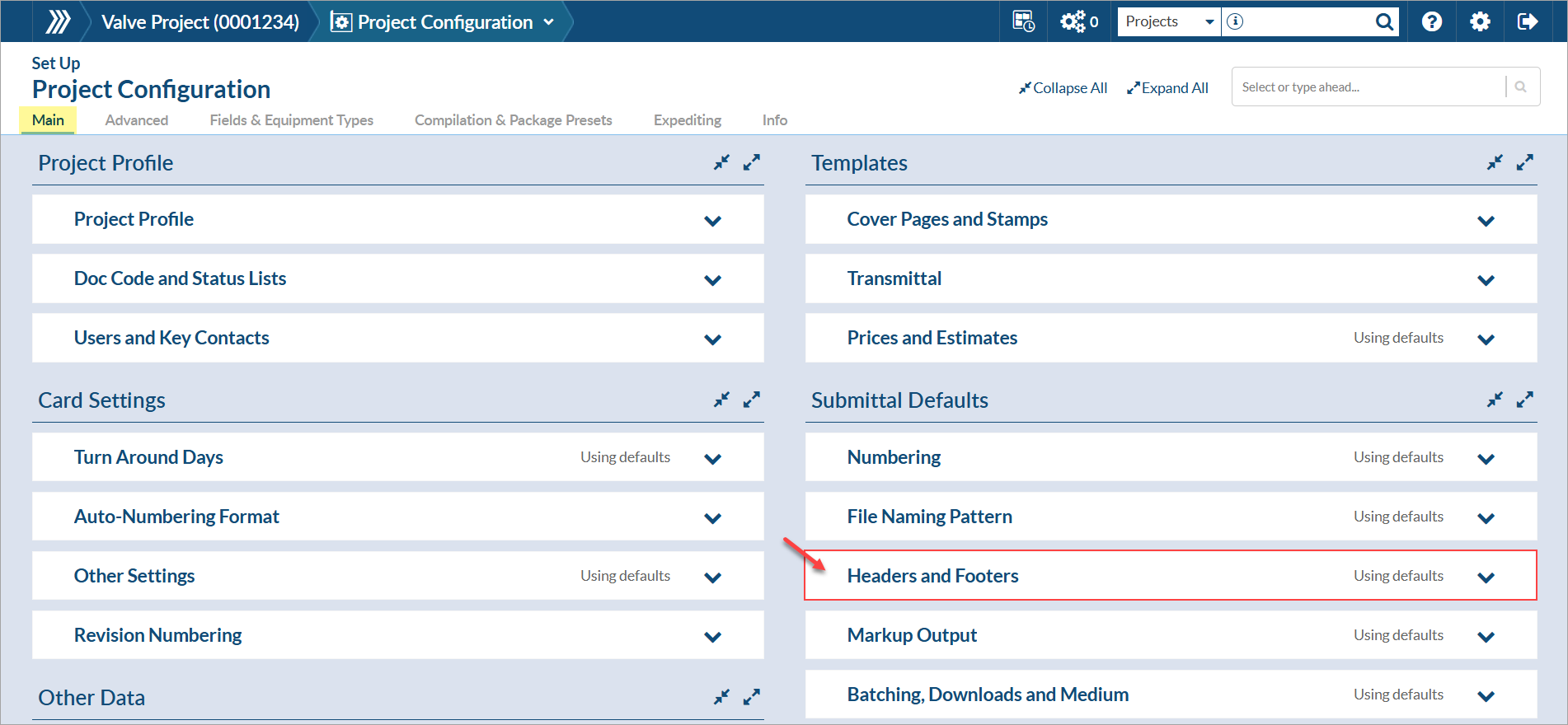
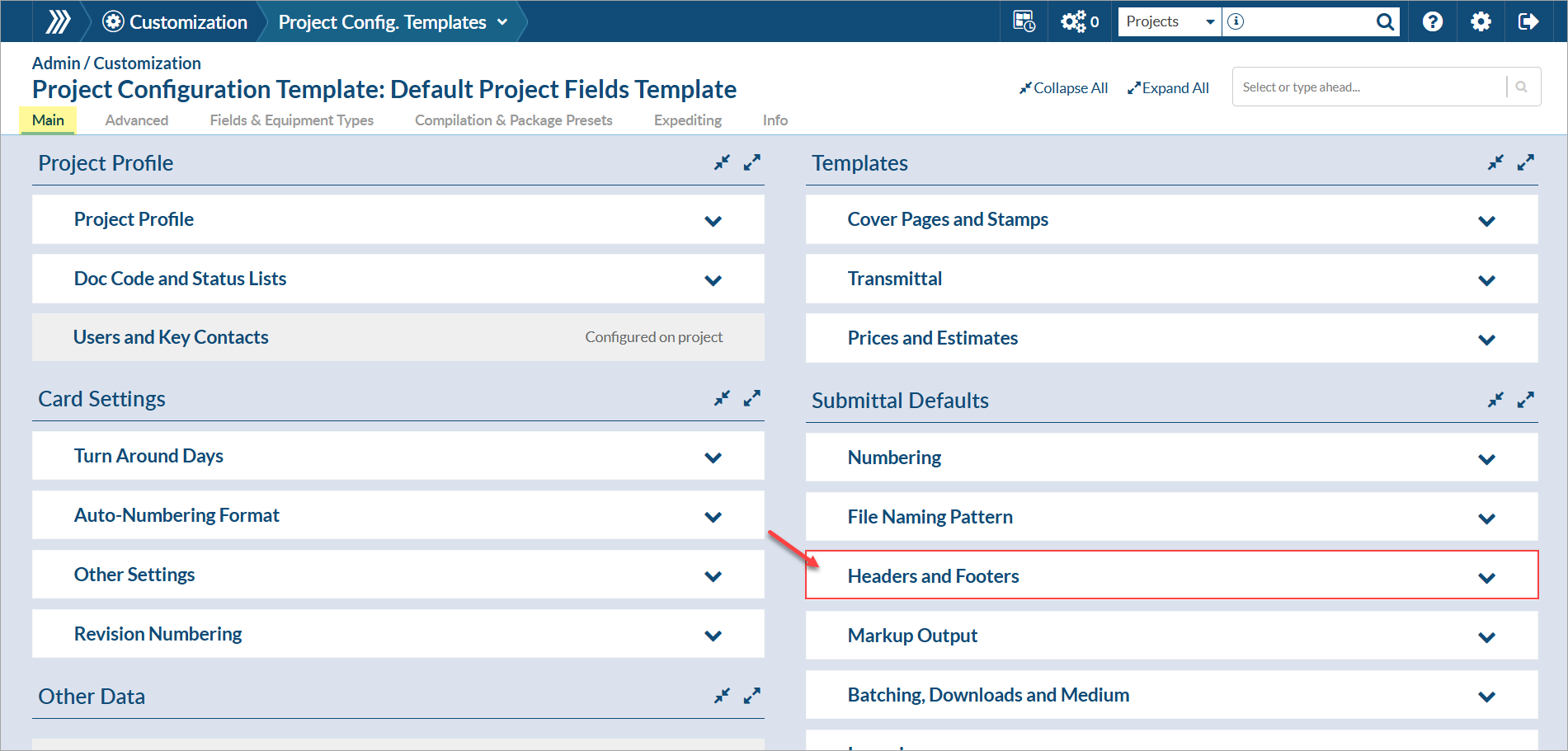
To add and edit headers and footers to your documents, navigate to the “Main” tab of the Project Configuration page. The “Headers and Footers” section can be found in the “Submittal Defaults” area.
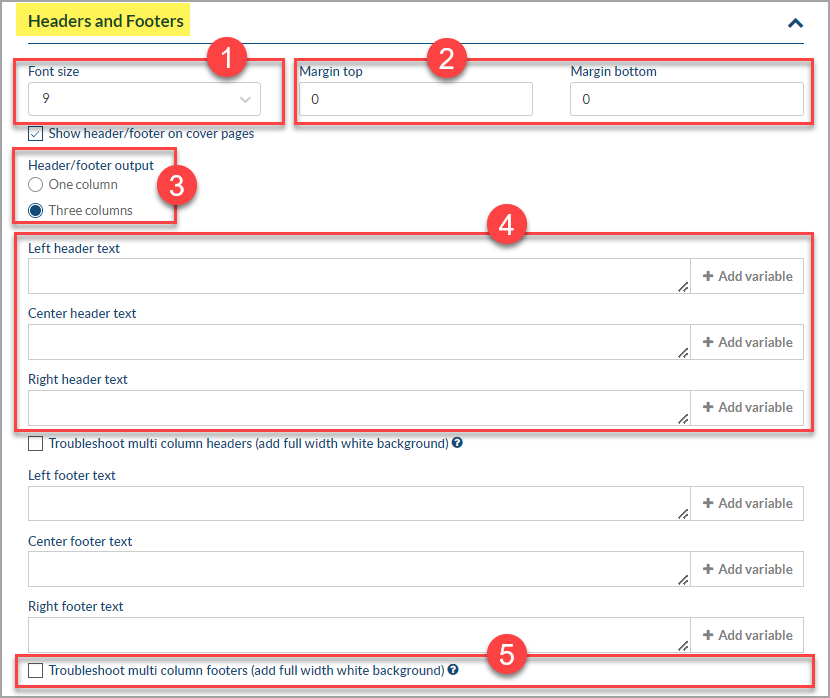
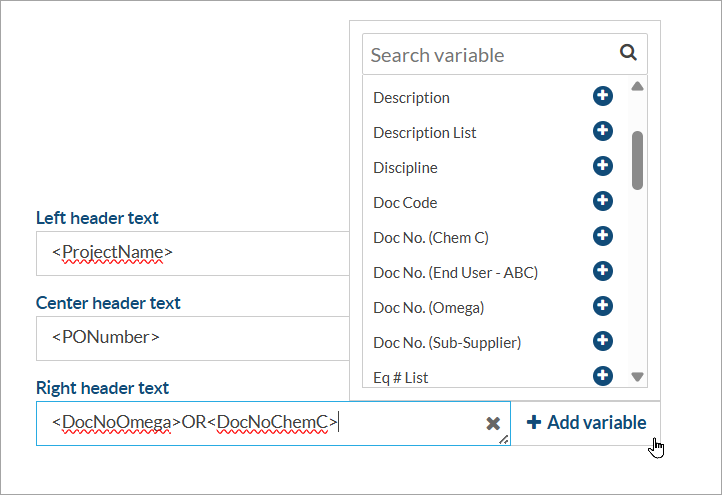
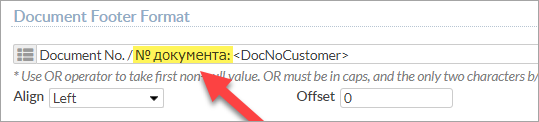
To edit format, select the desired variables by clicking on each available field, or type text manually. It’s also possible to add new variables by creating custom Doc Code/Card fields. For more details about new fields click here.
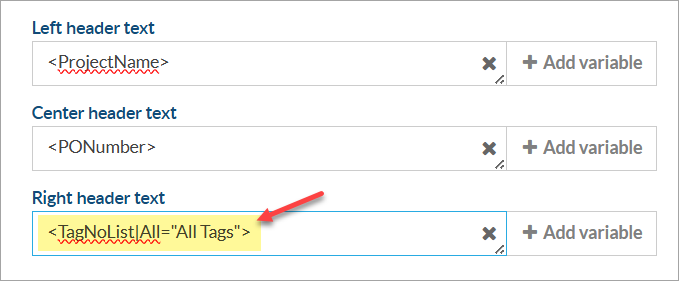
All non-standard characters such as other languages, are now supported in headers and footers.
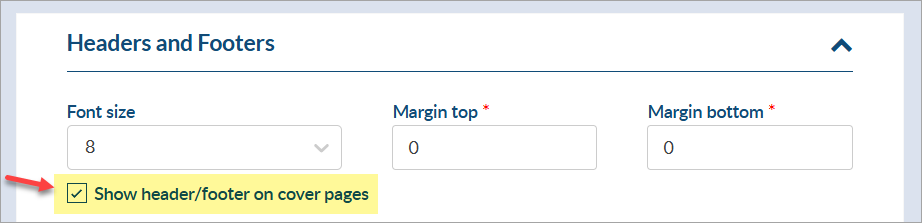
Show header/footer on cover pages – Be sure to mark the checkbox if you wish to use the header and footer format also in the cover pages.
Note: When a document doesn’t change (i.e. new version is not updated), the system will NOT re-apply the header footer. This usually happens when re-sending the documents received from the customer for final approval.
To edit the setting on a specific submittal, you can check the “Add Header/Footer” checkbox on the submittal window.
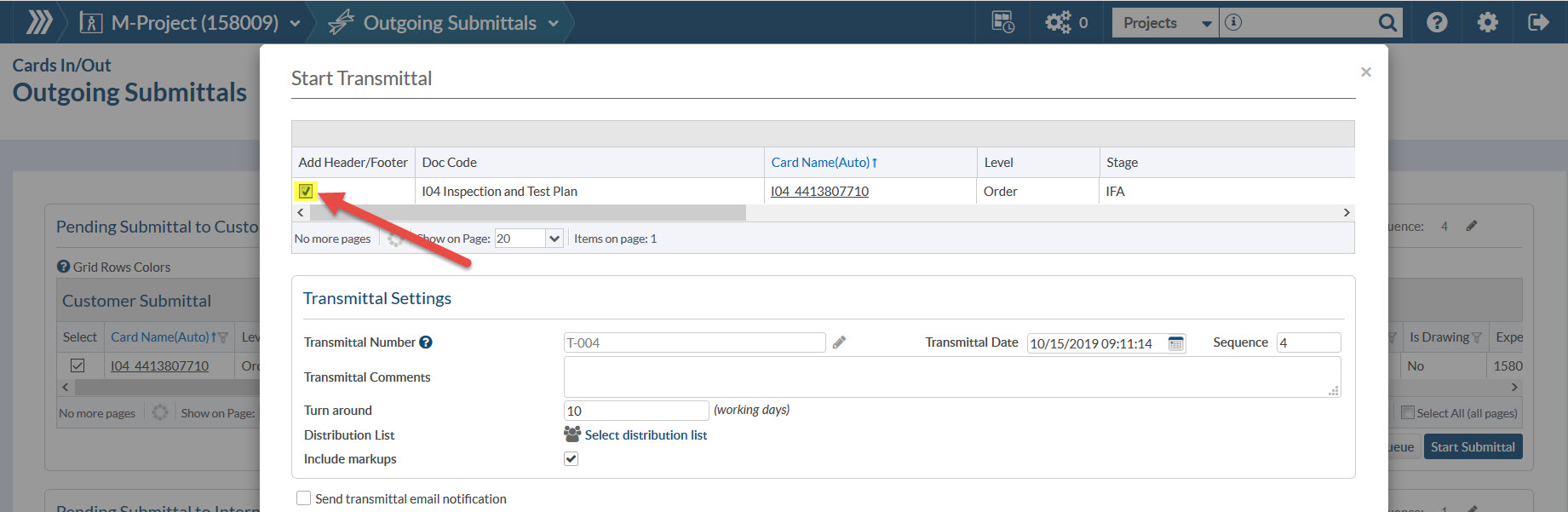
You can edit this setting on each card prior to the submittal window if you prefer.
If you wish to toggle the header/footer for all cards for a doc code, you can do that on the code list.
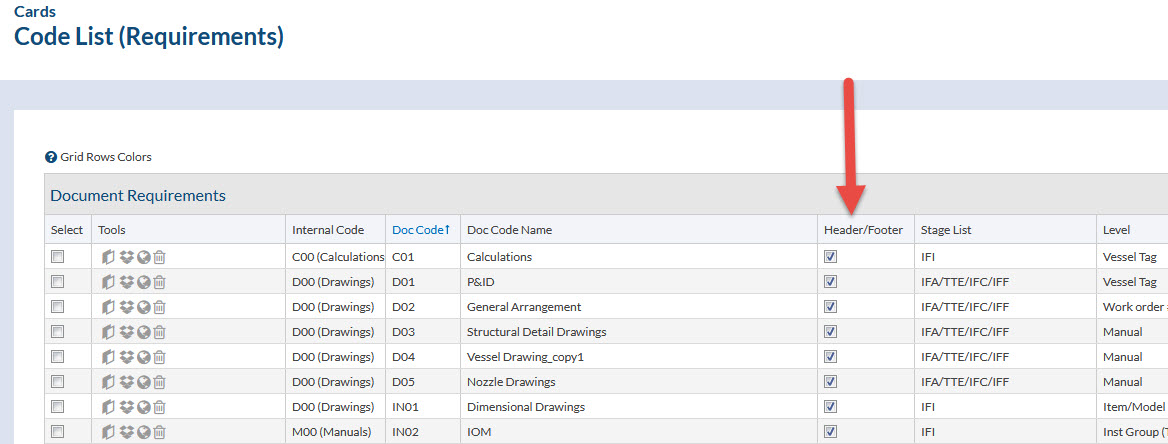
* Note that if you want to immediately apply the change to all cards for that code (if the file is already uploaded to the card) you must select the code and click Apply to Cards (button at bottom) after you make the setting in the code list.
Header/footer settings can also be pre-defined on project configuration templates (System Menu > Admin > Customization > Project Config. Templates) from the “Main” tab.
DocBoss is the only true document control system for suppliers. Book a quick demo to see how we help process equipment suppliers make more profit with less pain.
Here is our May 2026 Release Notification with brand new functionality that is now available to all DocBoss subscribers. This…
Read NowHere’s a list of updates found in our February 2026 release. Interface Changes Incoming Documents – Assign pop-up: The layout of the incoming assign…
Read NowIf your EPC projects require you to update equipment as the project progresses, how difficult is it for your current…
Read Now