 If you make a mistake assigning files into cards, you can undo it 2 ways
Product Updates
May 2026 Release Notification
Here is our May 2026 Release Notification with brand new functionality that is now available to all DocBoss subscribers. This…
Read NowIf you make a mistake assigning files into cards, you can undo it 2 ways
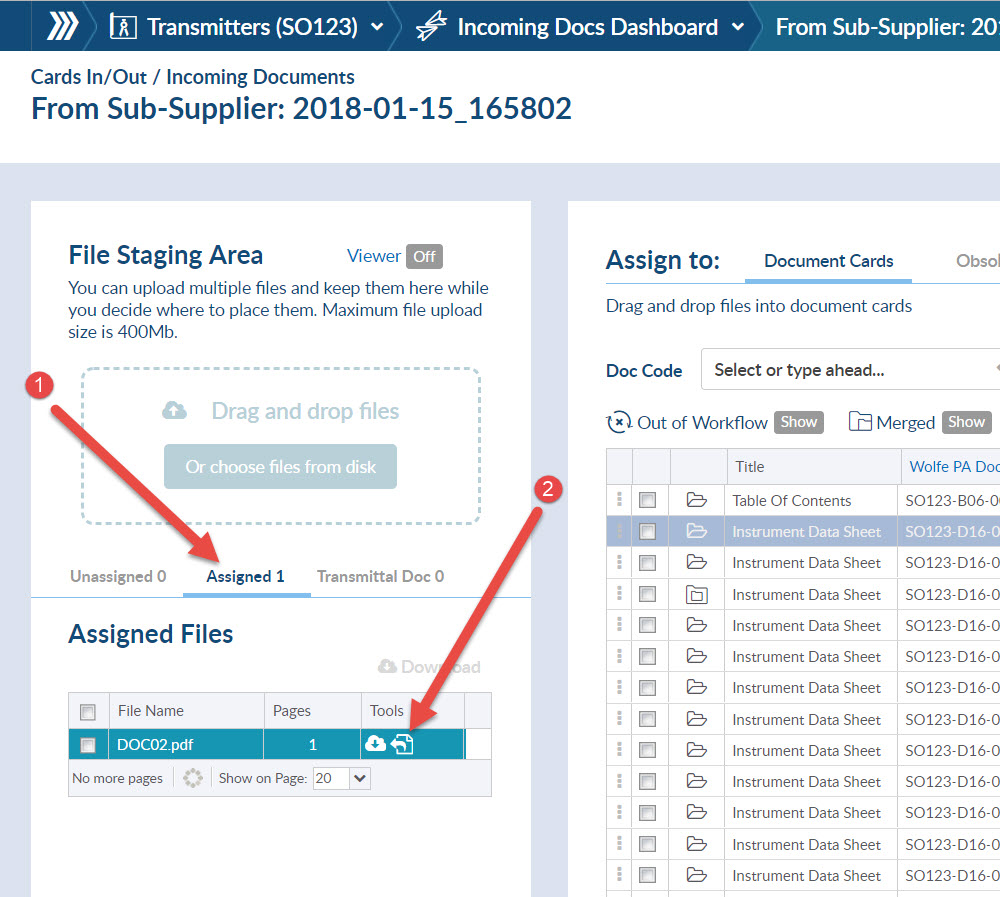
1) Go to the Assigned tab, and
2) Click the Rollback Latest Assignment icon. Note that if the document has already undergone additional workflow, (submittal, routing etc), this icon will NOT appear.
These actions will put the document BACK into the Unassigned tab, where you can again drag it onto the card list.
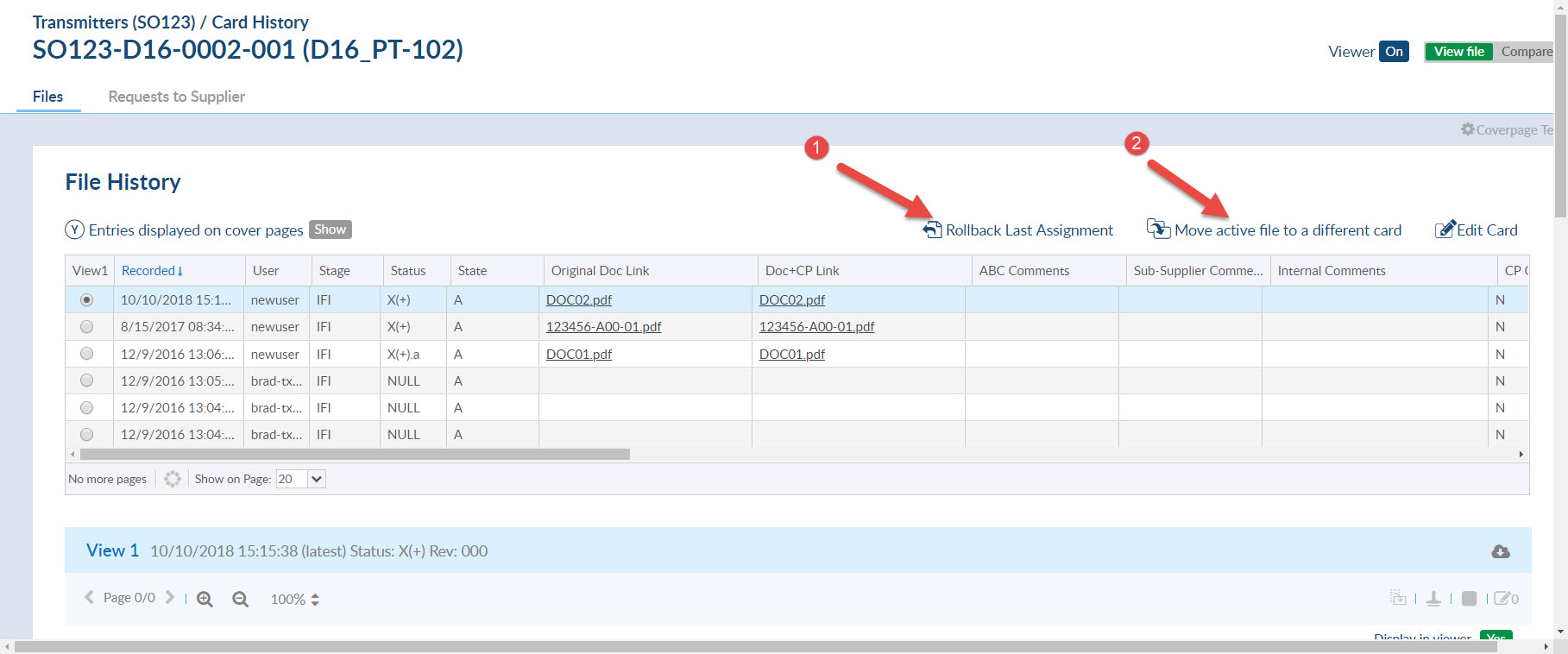
1) You can click the rollback function
2) You can reassign the file to a new card. this is the only option if there has been actions against the card since the last assignment.
Here is a related article that might interest you: Change The Stage List From The Assign Screen
DocBoss is the only true document control system for suppliers. Book a quick demo to see how we help process equipment suppliers make more profit with less pain.
Here is our May 2026 Release Notification with brand new functionality that is now available to all DocBoss subscribers. This…
Read NowHere’s a list of updates found in our February 2026 release. Interface Changes Incoming Documents – Assign pop-up: The layout of the incoming assign…
Read NowIf your EPC projects require you to update equipment as the project progresses, how difficult is it for your current…
Read Now