
Blog
The MRB is assembled at the end. The traceability is built from day one.
The bad week on an MRB looks like this. The job has shipped, the customer is waiting on the book,…
Read NowYour customer dictates document codes, return statuses, numbering, and formats. Your internal shop approval route remains yours. DocBoss holds both: customer submission requirements mapped into the project, internal approval workflows running inside it, and every record tracked until MRB closeout.
ASME stamp holders (U, U2, U3) manage heavy sub-supplier loads, internal engineering routing, and complex, report heavy MRBs and other dossiers. Because document lists are engineered per job, DocBoss automates the tracking, routing, and turnover packages that follow.
Building line heaters, exchangers, or packaged skids as well? Visit DocBoss for Engineered Equipment Suppliers.
Keep your internal shop workflows intact while automatically delivering client-compliant submittals and MRBs.
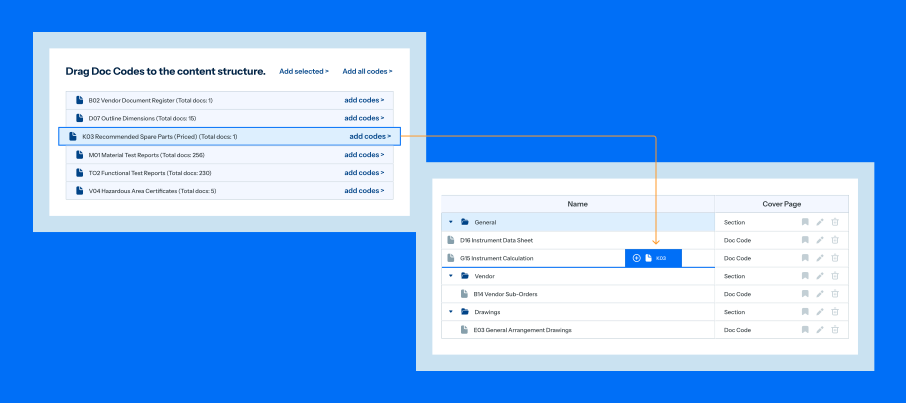
Their document codes, return statuses, numbering, cover sheet and SDI formats.
Statuses in their language, their codes mapped to yours, templates ready, a placeholder tracking every document the job owes.
Each return as the customer sends it back.
Each return statused in the customer’s language, the re-issue tracked, history carried on the cover page and the SDI.
Mill certificates and PMI reports as procurement produces them, test reports as the job produces them.
Books to the customer’s layout, certificates matched to equipment, the table of contents generated for approval at kickoff.
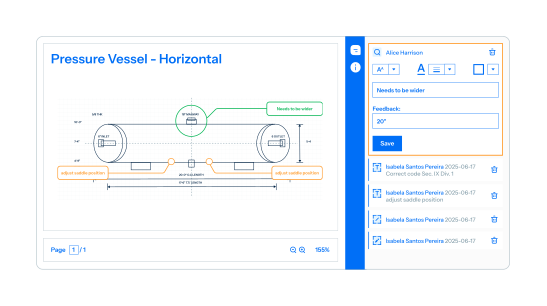
Customer submission specs only dictate outward-facing codes, statuses, cover sheets, and SDI layouts; not internal shop review steps. In DocBoss, internal approval routes are yours to set: assign stages per doc code, route to reviewers in sequence, and hold documents out of customer queues until internal checks clear.
Workflows run by issue purpose (Issued for Approval, Issued for Construction) so shop floors work strictly from approved revisions.
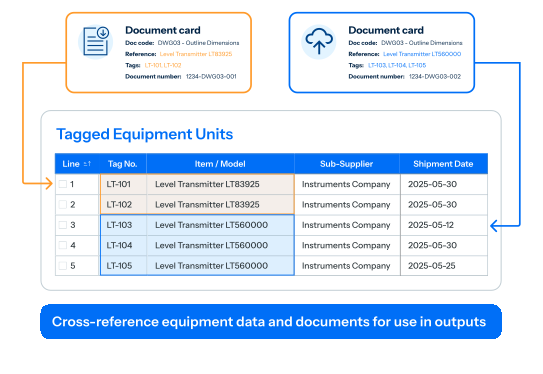
Material certificates and PMI reports enter the library during procurement, allowing one certificate covering multiple heats to be stored as a single record. Once you supply heat-to-vessel correlations, queries attach matching certificates across hundreds of pieces at once, flagging unmatched items without partial-match guessing.
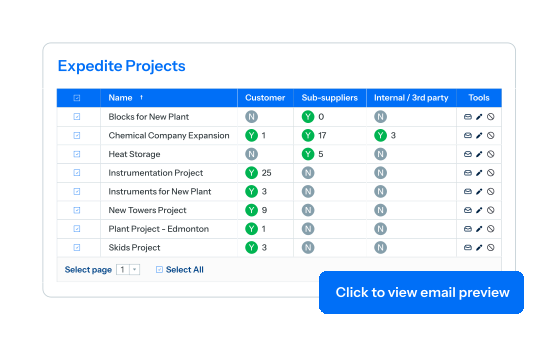
Custom fabricators sit on both sides of project document control: submitting outward to clients and receiving inward from sub-suppliers.
DocBoss provides sub-suppliers with a dedicated portal to upload deliverables and collect returns, routing files directly into your project review queue.
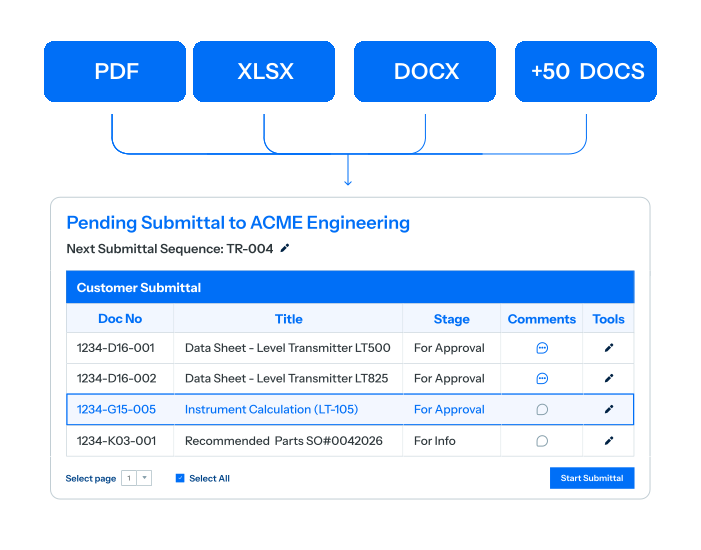
Weld logs, internal calculations, and sub-supplier records belong on the master project document list without necessarily going to the customer. DocBoss lets you hide internal items from submittals, package multi-file attachments, or hold records back exclusively for final MRB compilation.
Bring your client’s submission requirements. We’ll set up the project in their exact formats while keeping your internal engineering and shop workflows intact.
Get answers to questions about how DocBoss helps custom fabricators and pressure vessel builders.
No. Where the customer supplies codes, they are mapped to your own internal codes, which is the usual fabricator setup. Where they don’t, the project runs on your internal codes alone, set up from your own project template, and everything else on this page works the same way.
Yes. DocBoss runs two tracked workflows on the one document: the shop proceeds against the approved return while the corrected re-issue closes the formal cycle, and the two merge on completion.
Library fields are yours to define, and a field can hold several heats on one record. The match runs on whatever resolves to one certificate, usually a combination: heat plus purchase order, or purchase order plus line plus receipt. DocBoss attaches what resolves, reports what did not, and does not guess from a partial match.
Practical guides, templates, and insights to help heavy fabricators streamline VDRLs, track MTRs, and build client-ready turnover packages.
The bad week on an MRB looks like this. The job has shipped, the customer is waiting on the book,…
Read NowApproved is simple: proceed. Rejected is simple: fix and resubmit. Approved with comments means both at once. The customer has…
Read Now